

How to Create Local Electronic Resources
Generally, you would want to have your electronic resource managed by the Community Zone, but at times you may have a need to create local electronic collections and portfolios if a collection or portfolio does not exist in the Community Zone or if you want to maintain local control over your electronic resources. This How To describes the basic steps for creating local electronic resources.
To create local electronic resources:
-
From Resources > Create Inventory > select Add Local Electronic Collection. The Electronic Collection Editor page appears:
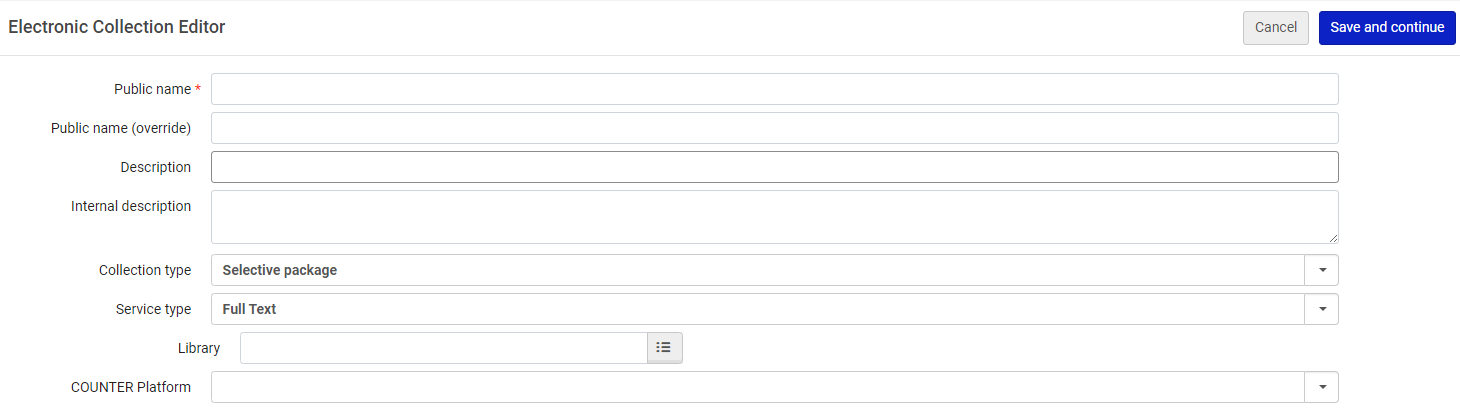
- Enter a public name to display in the discovery search results and select Save and Continue. The Electronic Service Editor page appears:
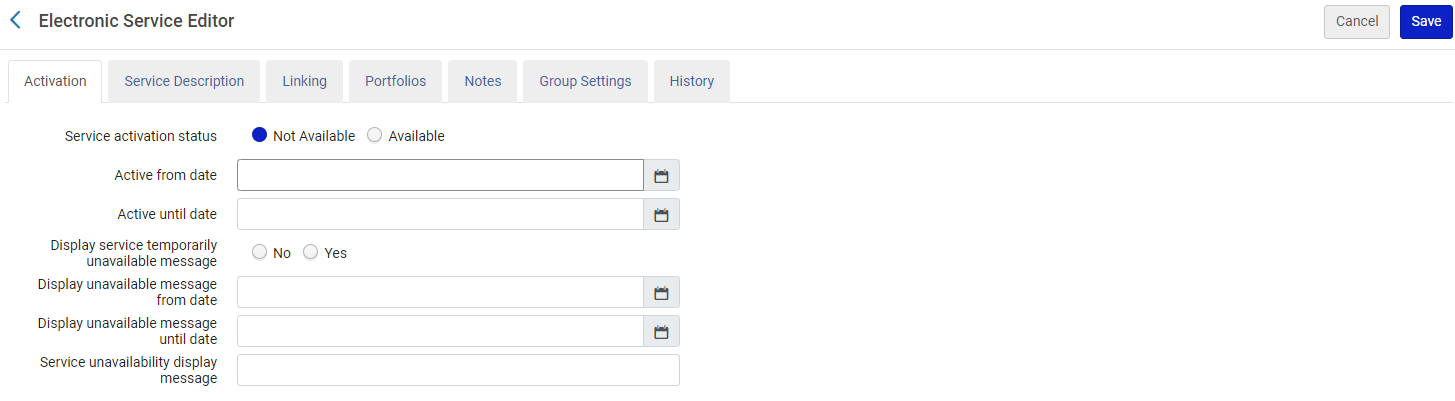
- From the Activation tab, set the Service activation status to Available.
- From the Portfolios tab, select Load Portfolios. The Activation Wizard: File Upload page appears:
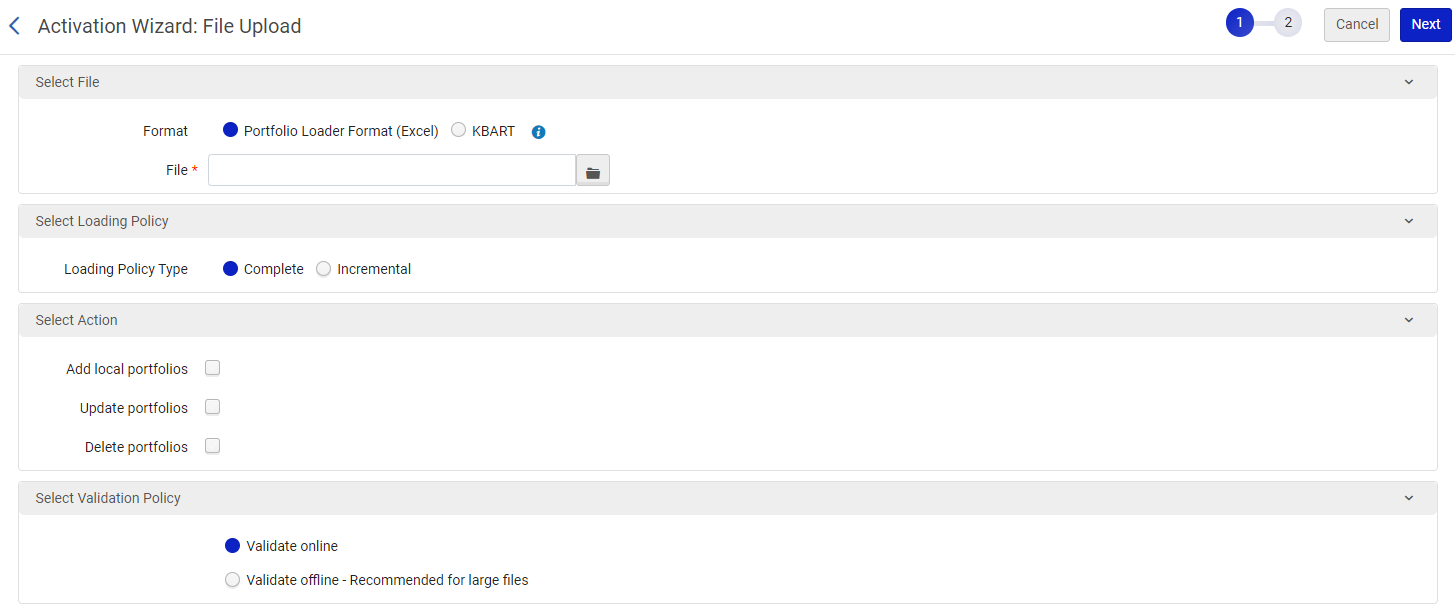
- From the Select File section, click on the folder icon next to the File field. Select the Excel file with the list of portfolios that you want to load. For more information on the format of this file see Portfolio Loader.
- From the Select Action section, select Add local portfolios and select Next. The Activation Wizard: Activation Summary appears.
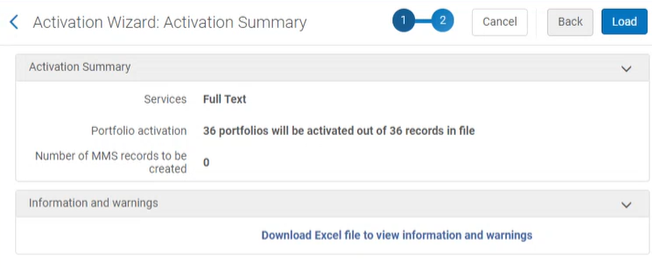
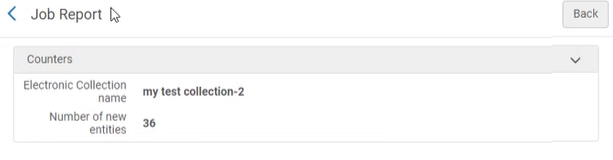
- Select Load. The list of portfolios is loaded into Alma. You can view a report after the job finishes.
For more information, see Using Portfolio Loader for Adding, Updating, or Removing Portfolio Information in Bulk.