

Using the Mapping Table to Map Resource Types
During the loading of external DC records, it is necessary to map the values of the resource types to the supported resource types in Primo VE. This can be done by either using normalization rules (see Mapping Resource Types from External Data Sources) or the Dublin Core Type to Discovery Type Mapping mapping table. If a value is not matched in the table, the system will use default value if defined. Otherwise, the system will map the values from the DC source (dc:type or dcterms:type field).
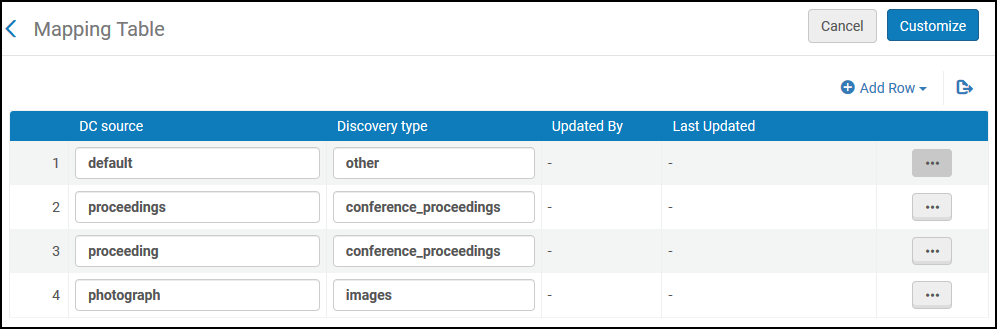
From this table, you can delete a mapping row, modify fields in existing mapping rows, or create new mapping rows. You must save all changes.
-
Open the Dublin Core Type to Discovery Type Mapping mapping table (Configuration Menu > Discovery > Loading External Data Sources > Dublin Core Type to Discovery Type Mapping).
-
Select Add Row.
-
Specify the following fields in the Add Row dialog box:
-
DC source – The resource type value from the DC source record.
-
Discovery type – The supported resource type in Primo VE. For more information, see Supported Resource Types in Primo VE.
-
-
Select Add Row to save the row and to return to the mapping table.
-
If this is the first customization of this table, select Customize. Otherwise, select Save.