

Alma AI Insights
|
Overview
Alma now includes an AI Insights feature that periodically surfaces meaningful analytics-based insights within the platform.

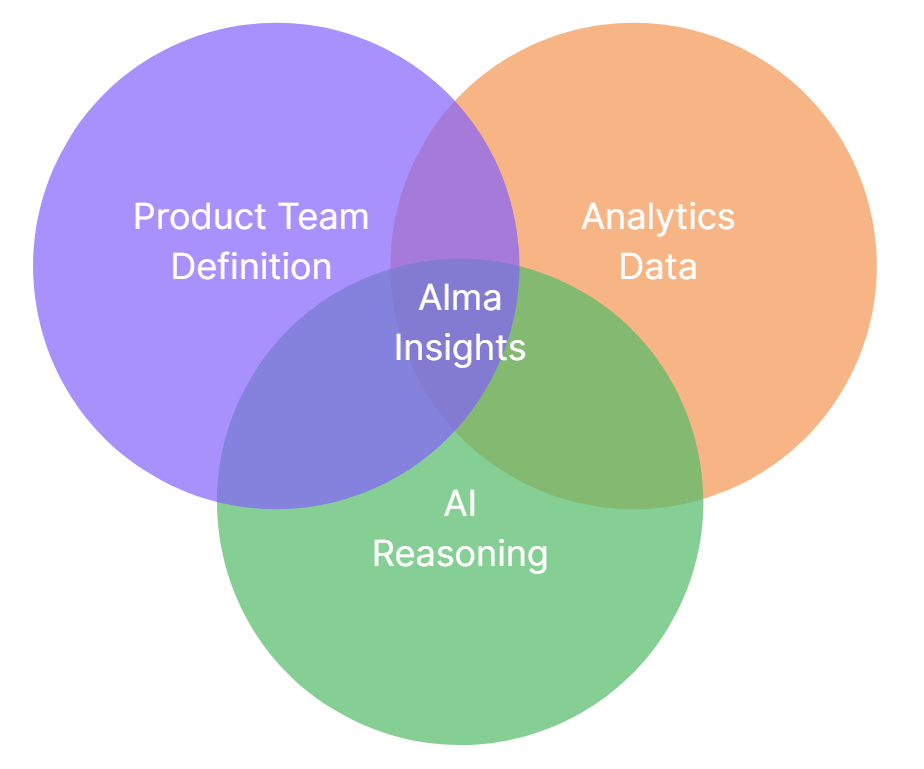
These insights are generated by a Large Language Model (LLM) analyzing predefined reports curated by the Alma product team. Each insight is tailored to specific user roles and delivered as a notification, allowing users to view the insight and download the underlying report data.
.png?revision=1)
Currently, the AI Insights are implemented in English only (even if your interface is in another language).
AI Insights aggregates information at the institution level. Therefore, insights will include information about the entire institution, not just your specific library. As a result, insights are currently not suitable for institutions with library-independence.
For a demo, see Alma AI Insights Demo.
For general information on our approach to AI in Alma, see Artificial Intelligence in Alma.
Opt In/Out to Alma AI Insights
To enable the AIma AI Insights, you must have the following roles:
- General Administrator
Alma Insights are disabled by default in all institutions.
Administrators with the above role can enable this feature in Configuration > General > AI Features > AI Features Management (see AI Features Management).

When turned on, insights will appear for relevant users as part of the "Real-time notifications".
Consent and Privacy
The Insights rely on an internal API provided by OpenAI. No personal data is included in the reports passed to the AI model; these reports are curated by the Alma Product team. No institutional data is shared with OpenAI at any point, and this data is not used to train the AI. Users with the Design Analytics role/s can view the analytic reports used by AI Insights in the DARA folder (Shared Folders > [Institution Name]) > Reports > DARA). You can opt out of this feature at any time as described above.
This feature uses AI to generate insights from your institution's analytics data. While we strive for accuracy, please be aware that AI-generated insights may not always be perfect, and may reflect errors, omissions or biases from the data it was trained on. AI insights should not be used as a substitute for human expertise or judgment, and users are responsible for verifying the information. While the content and results may be reviewed by our product team to improve features and performance, your data will remain secured pursuant to our Data Privacy and Information Security policies, and will not be used to train the AI model. This feature is currently only available in English.
Clarivate shall not be held liable for any errors or omissions in the information provided or for any actions taken or not taken in reliance upon it. We expressly disclaim any liability for any direct or indirect damages arising from the use or reliance on the content provided by this feature. We also encourage you to report any inaccuracies you may find. Please take the above into account before enabling this service for your institution.
Who Can View Insights in Alma
The Insights are designed to bring the institution's data directly into Alma, making it accessible for a wider circle of staff members, not necessarily those with access to Analytics.
Each insight is targeted to specific user role(s), depending on the subject of the insight (see the table below). As more insight types are gradually introduced, more users with various roles will be able to benefit from them.
Supported Insight Types
The supported insight types are as follows.
| Insight Type | Notification Frequency | Role | Supported Institution Type | Input Data | Analytics Report Name (Analytics Catalog > Shared Folders > [Institution Name] > Reports > DARA) |
|---|---|---|---|---|---|
| Loans in the Last 3 Months | Quarterly | Circulation Desk Manager | Standalone and Network Member | Number of loans in the last 3 months, including the number of loans originating from requests in each circulation desk. | Insights - Loans from Requests |
| Electronic Collections Link Resolver Usage in the Last 3 Months | Quarterly | Electronic Inventory Operator | Standalone and Network Member | The top 10 electronic collections in the last 3 months, by number of link resolver views (requests) and accesses (clicked requests). | Insights - Electronic Collections Usage in the Last 3 Months |
| Request processing trends in the last three months | Quarterly | Fulfillment Services Operator, Fulfillment Services Manager | Standalone and Network Member | Number of requests and their average processing times across libraries and user groups. | Insights - Request processing trends |
AI Insights for Consortia
The supported insight types are currently (as of November 2025) relevant for standalone institutions and members of the network but are not applicable to network central offices.
Frequently Asked Questions for AI Insights
- Is our analytics data used to train the AI?
A: No – we share the data with the AI for processing only, not to train it. - What data is sent to the AI?
A: The AI receives the exported analytics report data, together with a prompt that asks for insights about the data. The Download report button on the Insight allows you to see the exact data the AI used to create the Insight. - Who designed the analytics report that the Insight is based on?
A: The analytics reports are designed by members of the Alma Product team. - Can I access the actual analytics report?
A: If you have Design Analytics role, you can access your analytics and find the Insights reports under Catalog > Shared Folders > [My Institution] > Reports > DARA. All Insights users, regardless of their analytics access, can download the report data directly from the Insight. - Can I edit the analytics report?
A: Yes, if you have the Design Analytics role, you can access and edit the reports in the DARA folder. Please note that editing the reports will affect the Insights, so this needs to be done with great care. If you wish to undo your changes, simply delete the report from the DARA folder. The next time Alma attempts to generate the Insight, it will generate a new report if one does not exist in your folder. - Can I test this feature in the Sandbox environment?
A: Since this feature is based on analytics data that is not availalbe on Sandbox, you cannot test this in the Sandbox environment. - Can I customize who in my institution will receive AI Insights?
A: No. Each Insight is targeted at a specific user role(s), as detailed above. The Alma Team determined these, and they are not customizable at this time. - Can I opt out of a certain type of insight, but still receive other insights?
A: No, at this time, it is not possible to opt in/out of specific Insights. However, if you wish to disable a certain type of Insight, it is possible to alter the Analytics report related to a specific Insight so it does not return any data (for example by adding a filter) – which will prevent the Insight generation. - What LLM are you working with?
A: Models are subject to change as models and capabilities evolve. As of the August 2026 release, the Alma AI Insights were working with the gpt-5.2 LLM model. - What is your policy regarding AI?
A: Clarivate’s Academia & Government policy for use of generative AI is available in the link: https://clarivate.com/ai/academia/policy/ - Why am I getting different insights for similar-looking data?
A: AI models analyze patterns in data, but even small differences can lead to different interpretations. The AI doesn't just look at surface-level similarities; it considers deeper patterns and relationships that may not be immediately visible. - Will the AI insights be consistent every time?
A: AI generated insights might be different, as we do not guide the LLM to produce a specific type of insight, but only guide it to produce what it thinks is interesting and useful. - Can I trust the AI to always give the “correct” insight?
A: AI provides data-driven suggestions, not absolute truths. It’s designed to assist decision-making, not replace human judgment. Always consider AI insights as one input among others, especially in complex or high-impact scenarios. - What am I expected to do with the information I got from the insight?
A: Insights are not recommendations for taking action; they highlight interesting information and detect potentially relevant trends. It is up to you if you want to further check the data and consider taking action. For example, if the insight informs you about a low number of loans in a specific circulation desk, you might want to check why this is happening.