Activating Electronic Resources from the Community Zone
The below provides instructions only for the basic activation workflow. Click the following links for detailed information on activating/deactivating electronic resources and managing electronic resources.
Activating an Electronic Collection from the Community Zone
- Search the Institution Zone to double-check that the Electronic Collection is not already activated at Alma. If the “People” icon shows up – it means the collection is already active in Alma (and users will find the information in Primo).
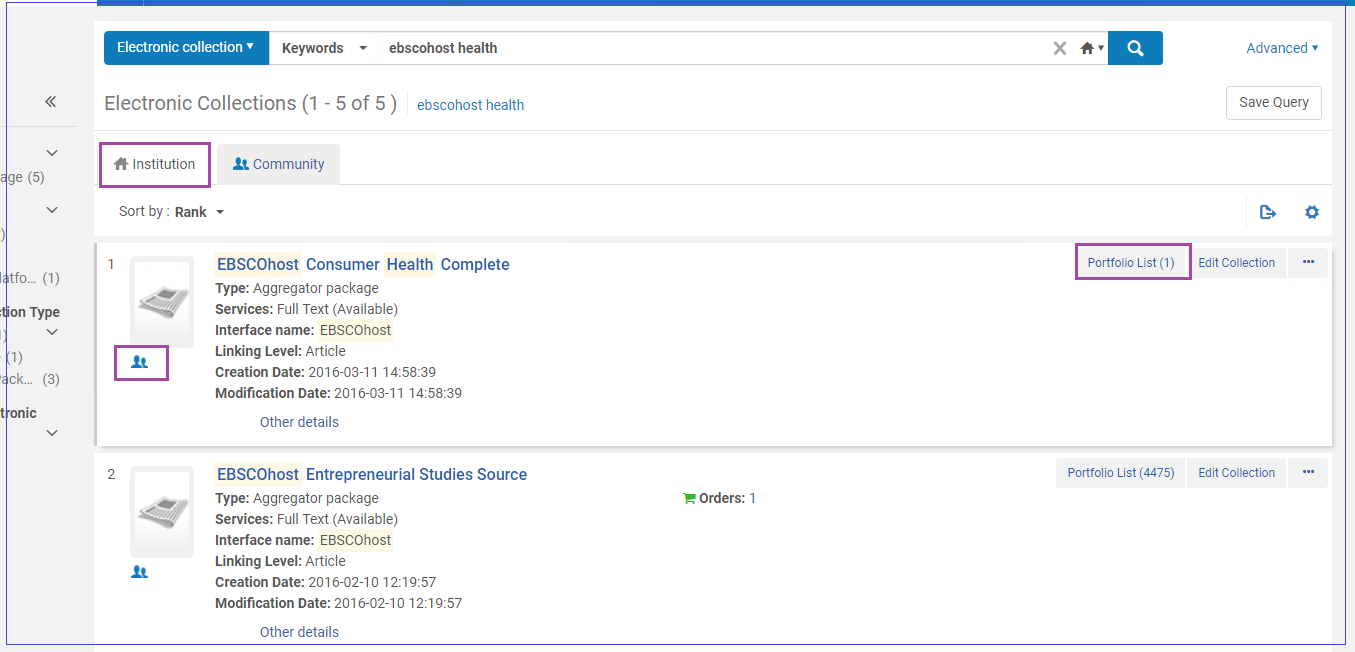
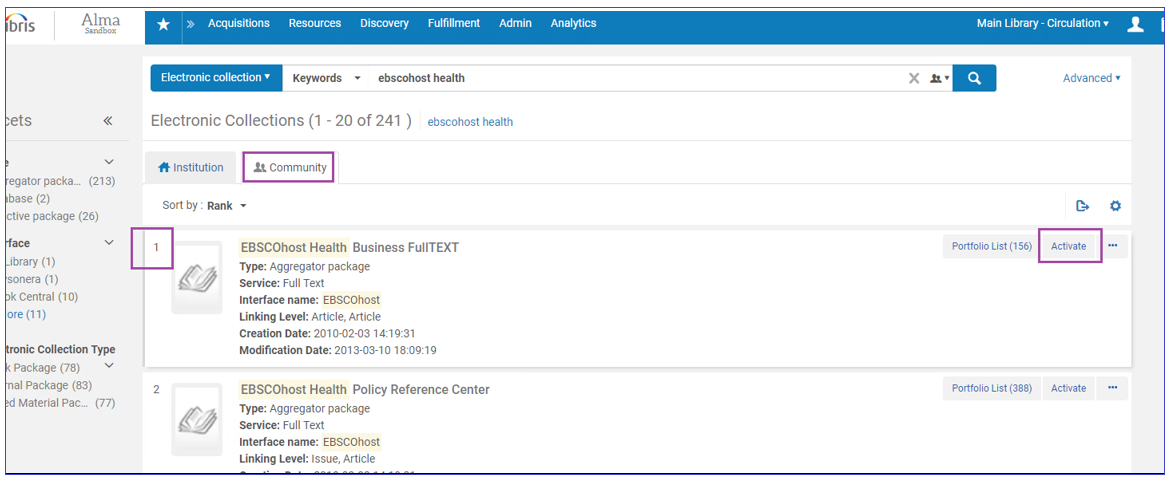
- If the collection is not found, click the Community tab to proceed in the Community Zone (CZ). For example, this is for “EBSCOhost Health Business FullTEXT”. Click "Activate".
- Follow the Wizard. Make sure to fill in the Full Text Service / Selected Full Text Service options - Activate This Electronic Collection Service, Make Service Available.
- There are three configuration options that control how Community Zone updates affect the collection in your institution:
- Automatically activate new portfolios — If selected, portfolios added to the Community Zone collection are automatically activated in your institution. This is only relevant for service type Full Text and not for service type Selected Full Text. Selected Full Text portfolios need to be activated manually.
- Automatically delete portfolios removed from service — If selected, portfolios deleted from the Community Zone collection are automatically deleted in your institution. If not selected, portfolios deleted from the Community Zone collection are localized.
- (New for May 2026) Automatically deactivate portfolios removed from service? — This field is relevant only if Automatically delete portfolios removed from service is not selected. The setting determines how localized portfolios behave after they are removed from the Community:
-
Deactivate — This is the default. It preserves the current behavior. Portfolios are unlinked from the Community Zone and set to Not Available in the institution.
-
Keep all active — Portfolios are unlinked from the Community Zone but remain Available in the institution.
-
Keep perpetual access portfolios active — Portfolios are unlinked from the Community Zone and handled based on their access type:
-
Portfolios with perpetual or current and perpetual access remain available.
-
Portfolios with current access are deactivated.
Note that if the portfolio does not have an access type defined, the collection’s access type will be used.
-
-
.png?revision=1)
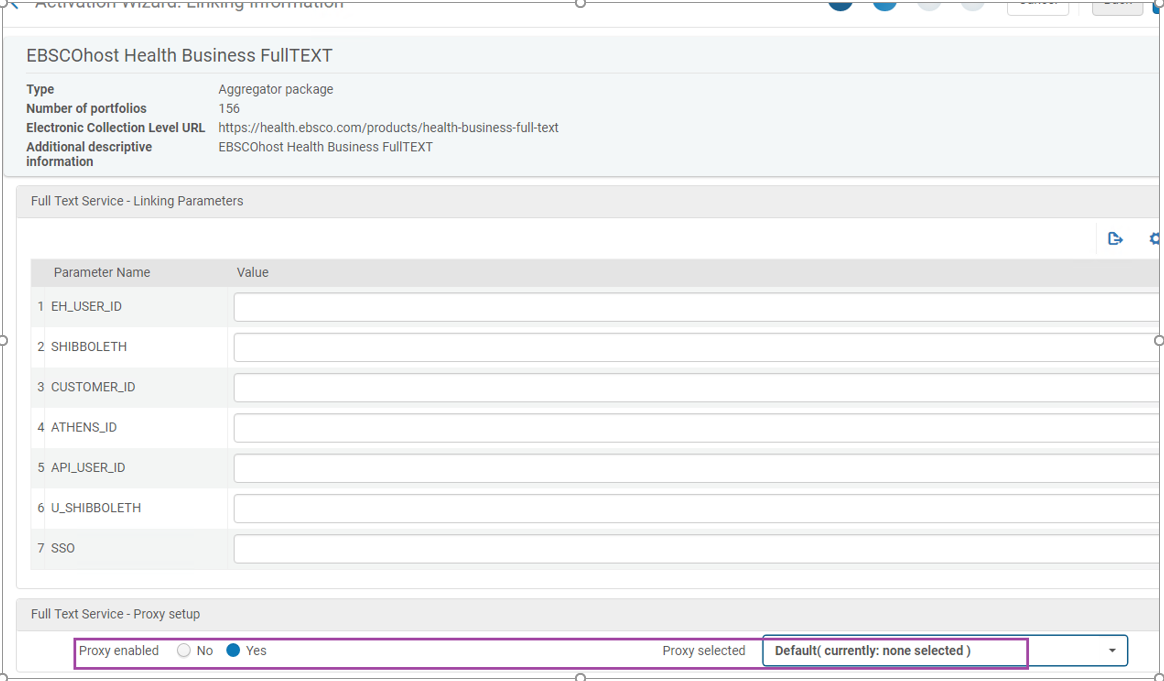
- Fill Full Text parameters as relevant. Most important - decide on Proxy setup (usually Yes).
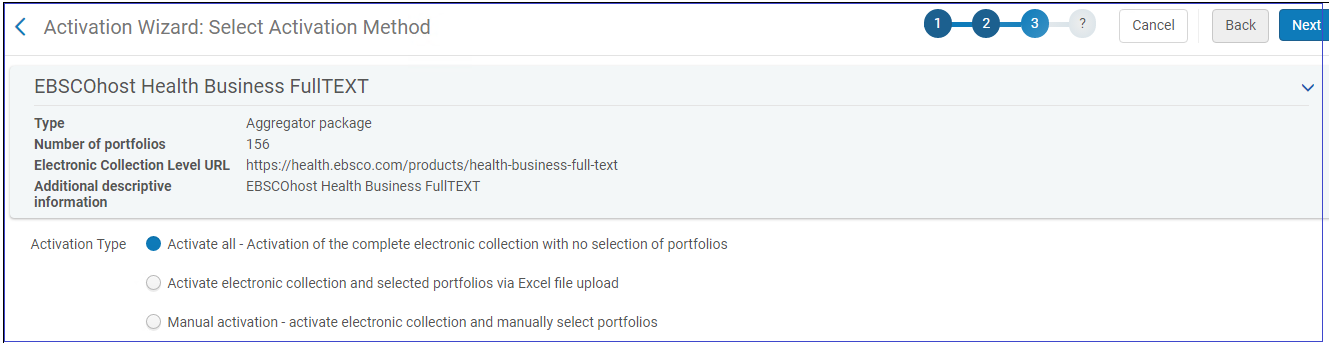
- Decide whether to activate all portfolios immediately, or via Excel, or individually later:
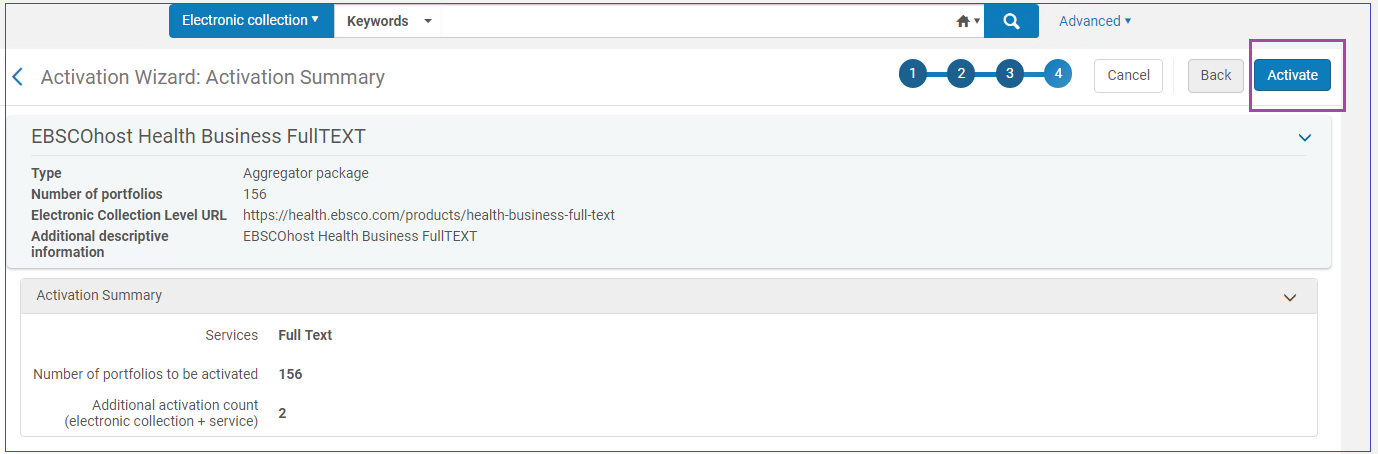
- Select Activate to confirm:
Pre-Release Electronic Collections in the Community Zone
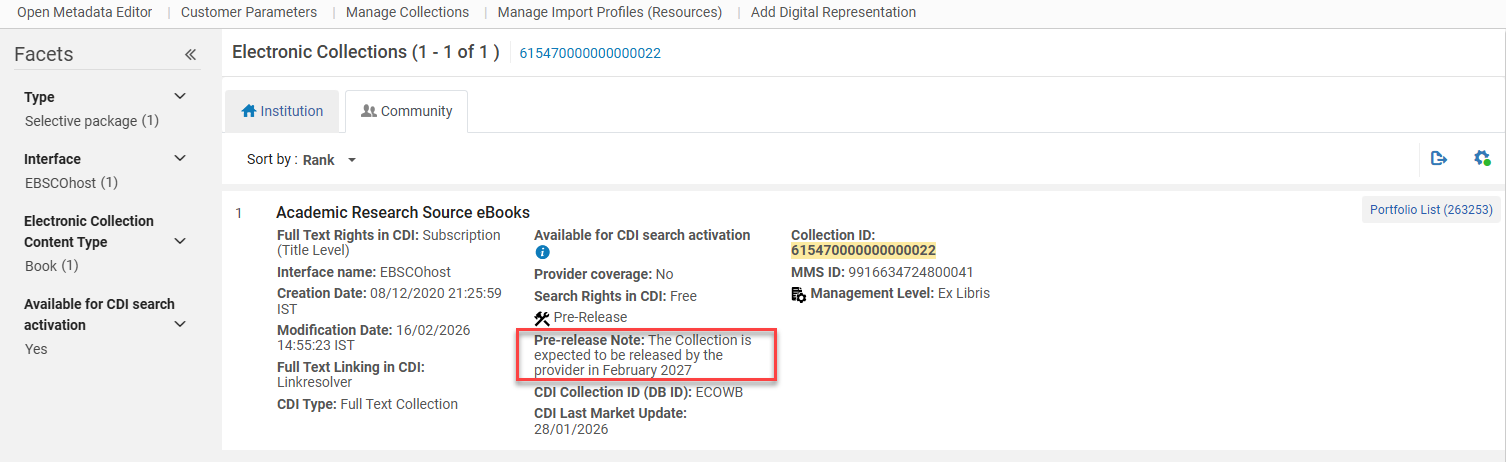
Electronic Collections that are currently in the process of being added to the Community Zone by the Ex Libris content team display the Pre Release indication. The Pre Release indicator only appears for Community Zone Electronic Collections. For Electronic Collections that are Pre Release, all actions other than the "Portfolio list" are disabled.
All Community Zone Portfolios under "Pre Release Electronic collections" also have a "Pre Release" indication and will have their actions disabled. Community Zone Titles that only have Pre Release portfolios associated with it also have the "Pre Release" indication and will have their actions disabled.
(New for May 2026) A Pre-release note, if it exists, is also displayed in Alma in the search results page.