

ExLibris

Knowledge Assistant

BETA
 
  • Subscribe by RSS
  • Back
    Alma
    Ex Libris Knowledge Center
    1. Search site
      Go back to previous article
      1. Sign in
        • Sign in
        • Forgot password
    1. Home
    2. Alma
    3. Release Notes
    4. 2017
    5. December 2017
    6. Alma December 2017 Release Notes
    7. Acquisitions - December 2017 Enhancements

    Acquisitions - December 2017 Enhancements

    1. Last updated
    2. Save as PDF
    3. Share
      1. Share
      2. Tweet
      3. Share
    1. Option to Send/Not Send Vendor Letters for PO Lines
    2. Remove Historical License References
    3. Adding a License to a PO Line with No Inventory
    4. Add Group Settings to a License

    Option to Send/Not Send Vendor Letters for PO Lines

    When defining a PO line, you can now determine whether to send a letter to the vendor. For each acquisition method, there are now two options: one that sends a letter to the vendor and one that does not. By default, the new options that were created to support this functionality are disabled. They may be enabled from the Acquisition Method code table (Configuration Menu > Acquisitions > Purchase Orders > Acquisition Method).  
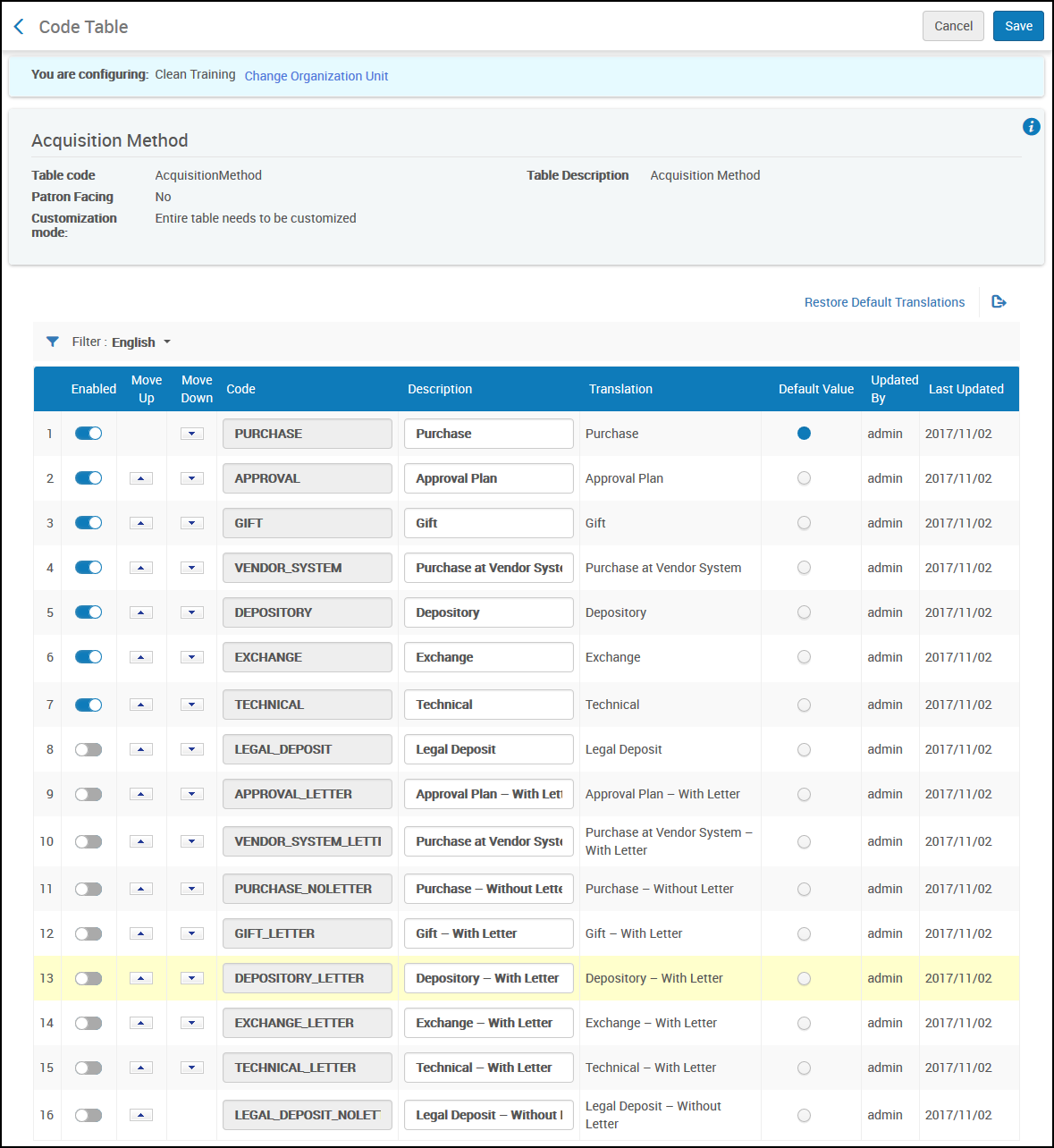
    Acquisition Methods New UI.png

    Acquisition Methods

    Once the options have been enabled, they are displayed in the Acquisition method drop-down list in the Purchase Order Line Details.
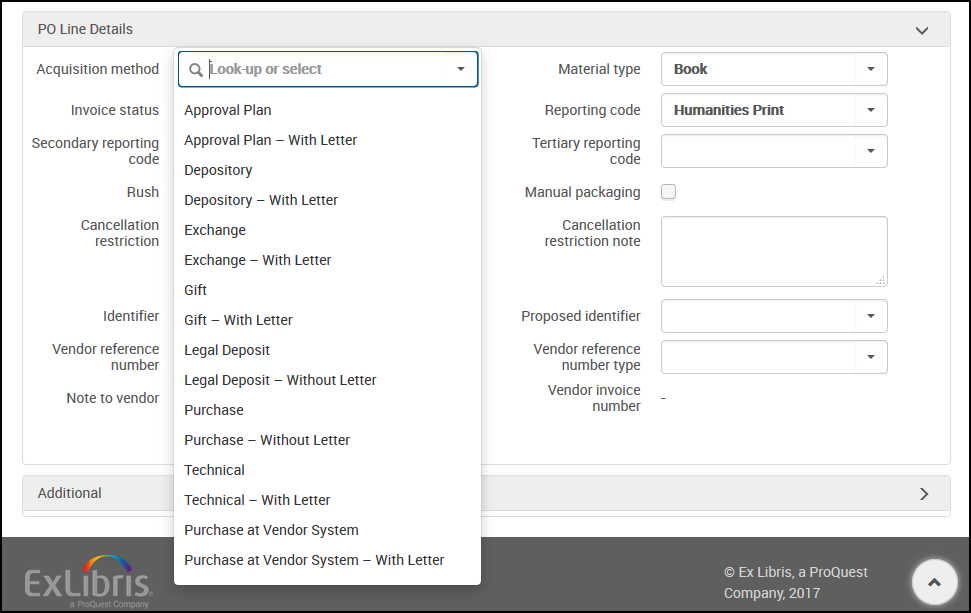
    PO Line Details - Acquisition Method - New UI.png

    PO Line Details - Acquisition Method

    See Configuring Acquisition Methods.

    Remove Historical License References

    idea_exchange.png Idea Exchange: In the Inventory tab of the license (Acquisitions > Acquisitions Infrastructure > Licenses), a resource may now be removed from the license history.  
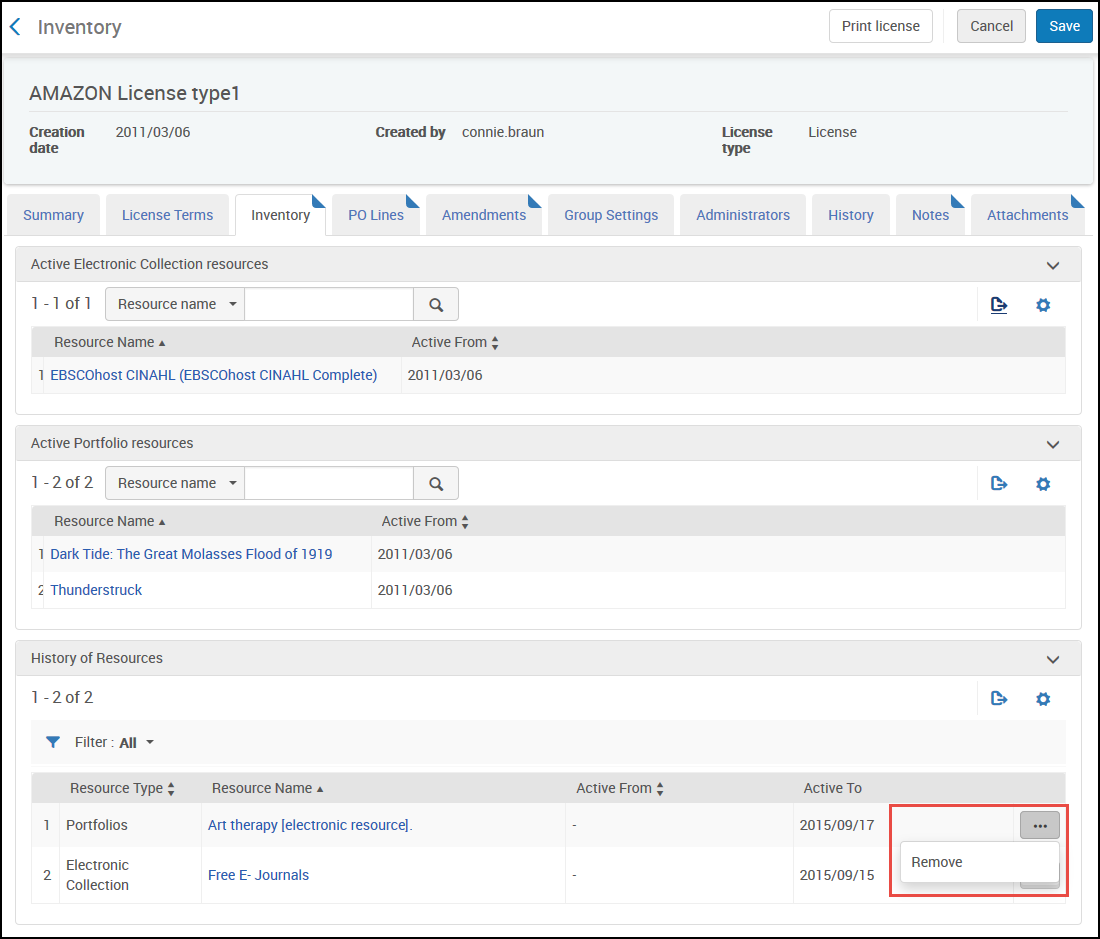
    License Inventory Remove Resource History New UI.png

    License Inventory

    See Adding an Amendment to a License.

    Adding a License to a PO Line with No Inventory

    You can now add a license to an electronic PO line without inventory. On an existing order, click Additional Order, select Other Service - One Time in the Purchase Type drop-down list, and click Create PO Line. The License can be selected on the Purchase Order Line Details page that follows.
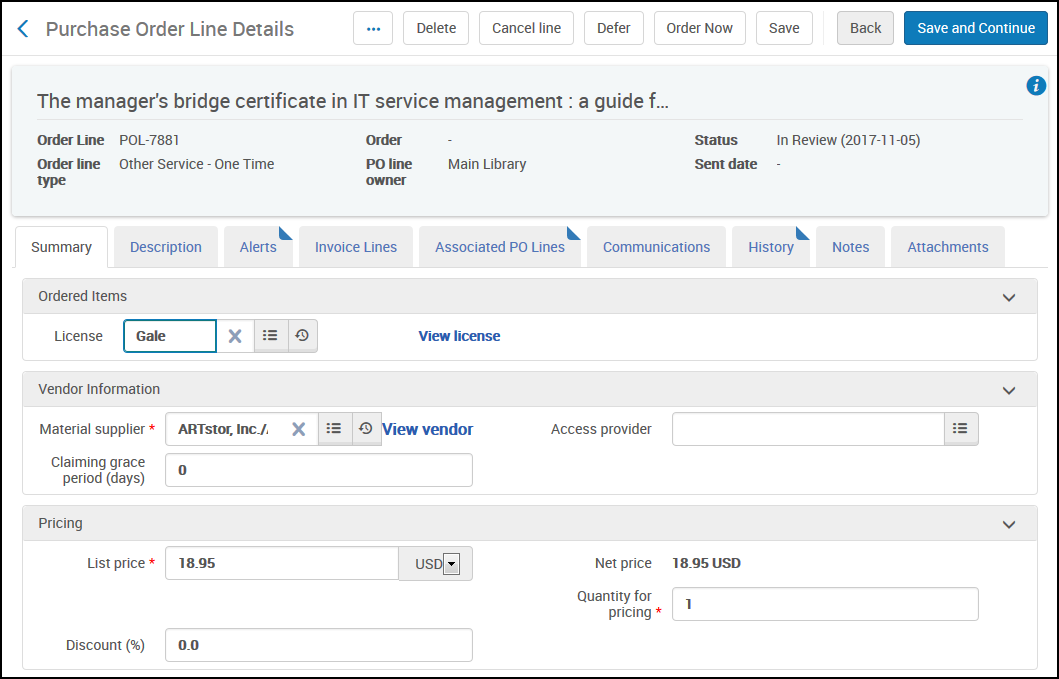
    Purchase Order Line Details - Additional Order New UI.png

    Purchase Order Line Details - Additional Order

    See Manually Creating a PO Line.

    Add Group Settings to a License

    A group setting may now be associated with a license for environments with multiple campuses or libraries. The license contains a new tab, Group Settings, for licenses of type License or Negotiation.The group may be added or removed.
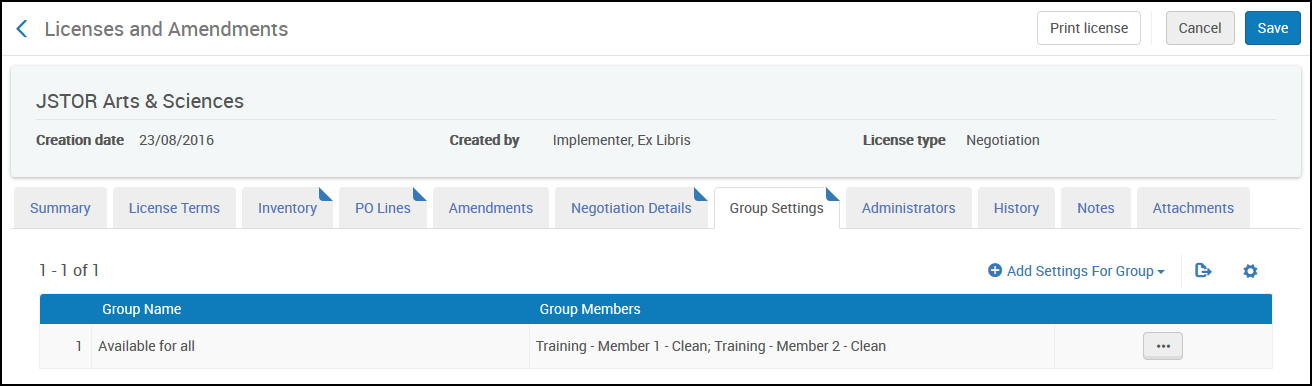
    Licenses - Group settings New UI.png

    Licenses - Group Settings

    See Editing Licenses or Amendments.

    View article in the Exlibris Knowledge Center
    1. Back to top
      • Alma December 2017 Release Notes
      • Resource Management - December 2017 Enhancements
    • Was this article helpful?

    Recommended articles

    1. Article type
      Topic
      Content Type
      Documentation
      Language
      English
      Product
      Alma
    2. Tags
      This page has no tags.
    1. © Copyright 2026 Ex Libris Knowledge Center
    2. Powered by CXone Expert ®
    • Term of Use
    • Privacy Policy
    • Contact Us
    2025 Ex Libris. All rights reserved