

Creating Primo Tools
This functionality is not relevant to to Primo VE.
In addition to monitoring and executing Primo tools, Create a Tool section on the Tools List page (Primo Home > Monitor Primo Status > Tools Monitoring) allows you to create jobs for the following tools and execute them as needed.
-
Generate Sitemap – Creates a site map index file to open links in Primo to external search engines. For more information, see The Generate Sitemap Tool.
-
Delete Sitemap – Deletes site map indexing information. For more information, see The Delete Sitemap Tool.
-
Export Primo Configuration – Exports Primo configuration data. For more information, see The Export Primo Configuration Tool.
-
Import Primo Configuration – Imports previously exported Primo Configuration data. For more information, see The Import Primo Configuration Tool.
The following additional tools are available for on-premises installations:
| Tool | Description |
|---|---|
|
Create XREF1
|
Builds the enrichment indexing keys for existing PNX records per data source. For more information, see The Create XREF Tool
|
|
Import PNX Extensions*
|
Loads enrichment data to enhance Primo records. For more information, see The Import PNX Extensions Tool
|
|
Export User Generated Data*
|
Exports user-generated data to an XML file. For more information, see The Export User Generated Data Tool
|
|
Delete PNX Extensions*
|
Removes enrichment data from Primo. For more information, see The Delete PNX Extensions Tool
|
|
PNX Extensions Loader*
|
Adds PNX extensions to existing PNX records. For more information, see The PNX Extensions Loader Tool
|
1Requires installation-level permissions to create and execute this tool.
To add a tool to the list:
-
Click Monitor Primo Status on the Back Office’s home page.The Monitor Primo Status page opens.
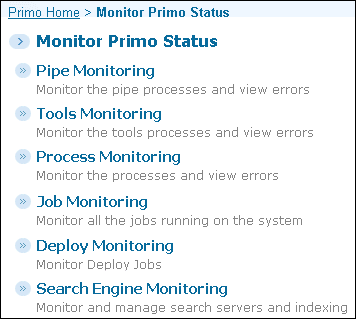 Monitor Primo Status Page
 -
Click Tools Monitoring to open the Tools List page.
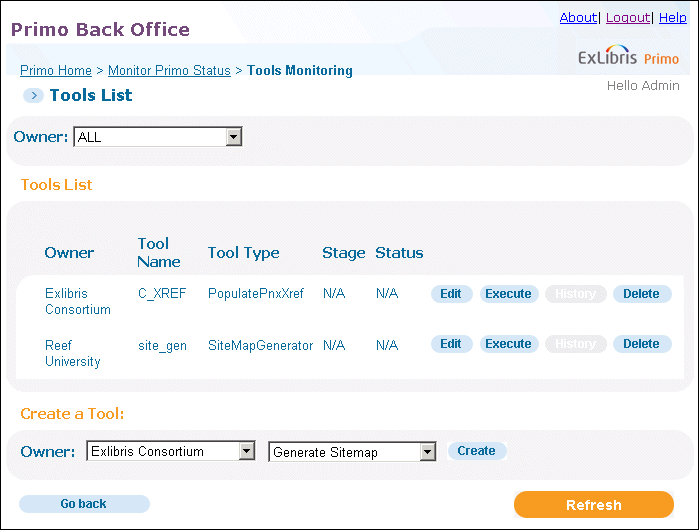 Tools List PageIf you are an installation-level staff user, select the owner of the tool in the Owner drop-down list. The valid values are Installation (if using the default name) or a specific institution.For institution-level staff users, this field is set to your institution.
 -
Select a type of tool in the Create a Tool drop-down list.
-
Click Create to configure the specific tool. For specific information on each tool, refer to the following sections.
For information on monitoring tools, see Tools Monitoring.